
A founder goes on vacation for the first time in two years. She comes back to a backlog of questions that only she can answer: how do we onboard this client, who approves refunds, what happens when a shipment is short. None of it was written down. It all lived in her head. That gap is exactly what process documentation closes. It’s the difference between a business that runs without you and one that stops the moment you step away. This article covers what documentation actually is, why skipping it quietly builds risk, and how to build it in a way that sticks.

What process documentation is (definition and core concept)
So what is process documentation, in plain terms? It’s a written record of how a repeatable task gets done, start to finish. A process document captures the trigger that sets the work in motion, the sequence of steps, who owns each one, and the output that signals completion. That’s it. It isn’t a policy binder nobody reads, and it isn’t a vague description of “how we usually do things.”
The distinction matters because a good process document is practical, not theoretical. It tells a new hire exactly what to click, who to hand off to, and when they’re done. The American Productivity & Quality Center keeps a widely used process classification framework that shows how organizations group and standardize their business processes. It’s a useful reference for anyone deciding what to document first, and their broader APQC research on process documentation best practices digs further into how mature organizations structure this work.
The core idea is simple: knowledge that lives only in someone’s head is fragile. Writing down your business processes turns private know-how into a shared asset the whole team can use. If you’re unsure where to start, learning the fundamentals of creating operational processes and procedures is a good first step before tackling anything more advanced.
Why undocumented processes are a business risk for founder-led companies
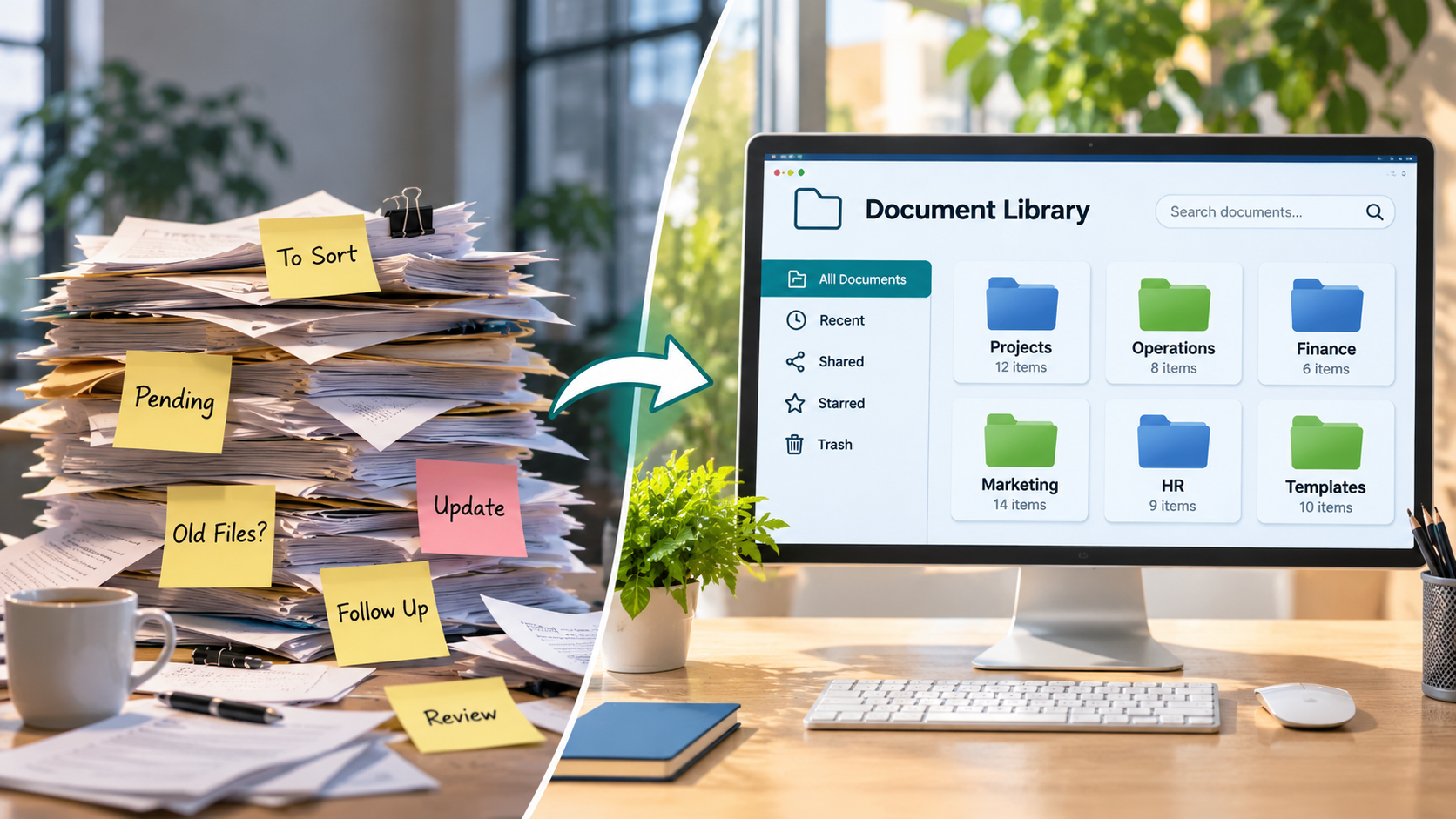
An overhead view of a modern founder’s workspace, showing handwritten notes, scattered documents, and task reminders transitioning into an organized digital workflow on a laptop. The visual represents the shift from manual task management to streamlined processes, better collaboration, and improved business organization.
Undocumented processes feel fine until one person is out, quits, or gets overwhelmed. Then the whole thing stalls. In founder-led companies, the risk concentrates fast, because so much institutional knowledge sits with the founder: pricing logic, client quirks, the “right” way to handle a complaint. When that knowledge isn’t written down, the business can’t operate without constant interruptions to ask how something works.
Picture a small services firm where only the founder knows how a refund over a certain amount gets approved. She catches the flu for a week, three refund requests pile up, two clients escalate, and a junior staffer issues one incorrectly because they guessed at the threshold. One week of absence turns into a cleanup that drags on for a month. That is the root cause at work: founder dependency. Growth without systems creates friction, and the first thing to break is usually the invisible set of workflows nobody ever formalized, often because standard operating procedures were never put in writing.
A single point of failure in a key process can mean a missed client deadline, a botched handoff, or a new hire who takes three months to get up to speed instead of three weeks. Building SOPs that reduce founder dependency is one of the fastest ways to close that gap before it becomes a crisis.
The U.S. Small Business Administration’s guidance on managing and growing a business points to operational structure as a core factor in whether a company can sustain growth. Undocumented processes quietly undermine that structure. The cost shows up as founder overwhelm and operational bottlenecks that slow everything down.
Why process documentation matters (key benefits: consistency, scalability, knowledge retention)
The benefits of process documentation show up in three places, and all three compound over time. First, consistency and quality: when everyone follows the same documented steps, output stops depending on who happened to do the work that day. Customers get the same experience whether your best person or your newest hire handled the order.
Second, scalability. Verbal instructions alone make it hard to grow responsibly. Documented, repeatable processes mean you can add team members without the founder personally training each one, which supports steadier growth over time. Scaling exposes operational weaknesses, and processes that worked for three people can quietly fail at thirty because verbal instructions don’t survive being passed from person to person, losing detail at every handoff.
Third, knowledge retention. When someone leaves, their institutional knowledge usually walks out the door with them. A process document keeps that knowledge inside the business. Many assume documentation is about control or red tape. In reality, it’s about gains in day-to-day efficiency, giving a team the clarity to execute without waiting on one person for every answer.

Key components of effective process documentation
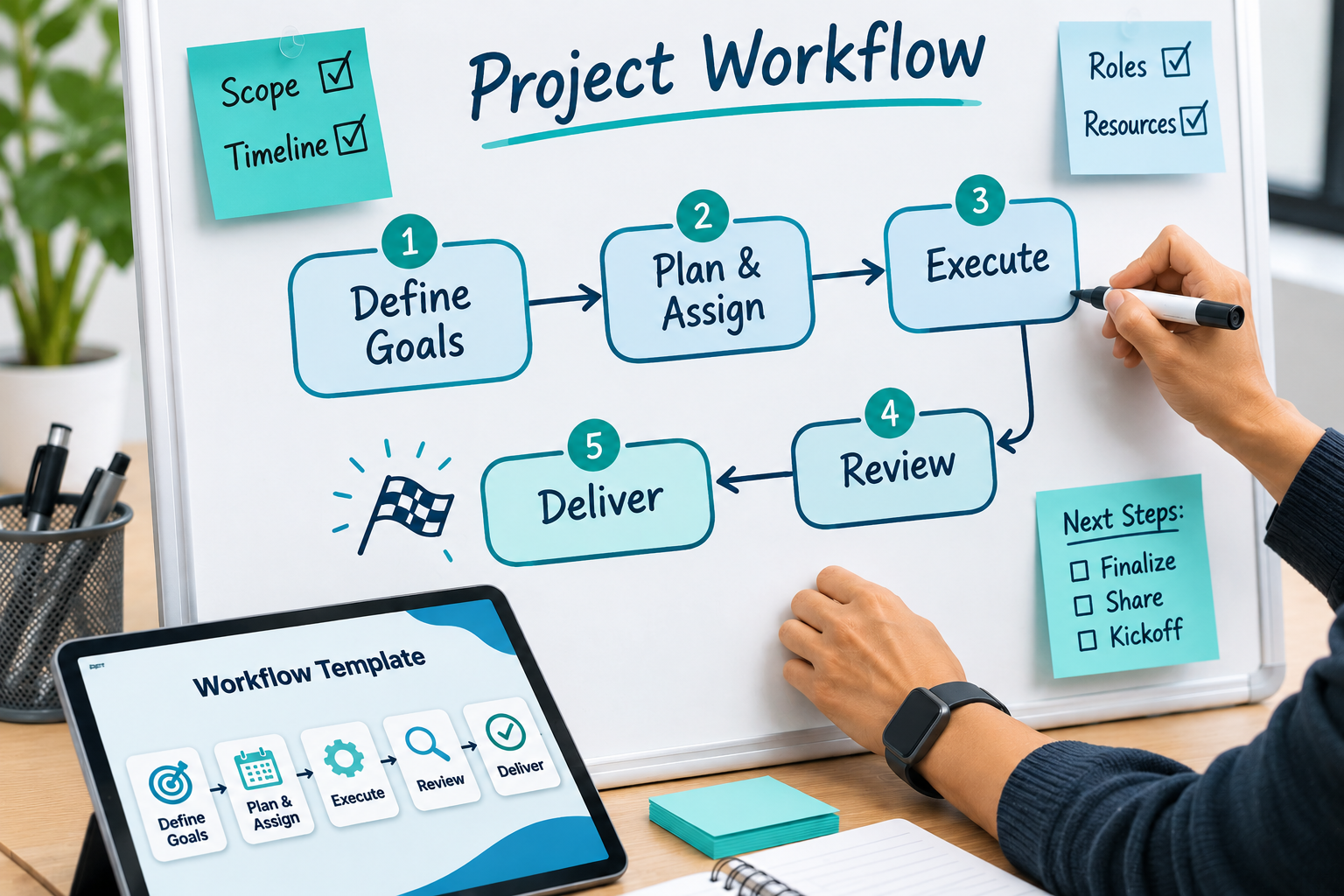
Every useful process document shares the same key components, regardless of format. Start with the trigger: what event kicks the process off. A new client signs, an invoice arrives, a support ticket comes in. Without a clear trigger, nobody knows when to start.
Next, the steps in order, each written as a single action. Then the roles, so it’s obvious who owns each step and where handoffs happen. Accountability lives here: a documented process names the person responsible, not just the task. After that, the decision points- the places where the path branches depending on a condition- which flowcharts handle well.
Finally, the expected output, the thing that tells you the process is complete. Many process documents skip this step and leave people unsure whether they’re actually done. For organizations that want a formal benchmark, the ISO 9001 quality management documentation standards offer a widely recognized framework for what thorough process documentation should include.
Visual aids help enormously. A short diagram or screenshot often replaces a paragraph of text. The best documentation pairs plain written steps with visual aids so readers can scan the flow and dive into detail only where they need it.
Types of process documentation (SOPs, workflows, guides, policies)
The types of process documentation you choose depend on the job. Standard operating procedures, or SOPs, cover a single task in detailed, step-by-step form. They’re the workhorse of most documentation: how to close the books, how to process a return, how to run payroll. If a task is repeated and needs to be done the same way every time, write an SOP.
Workflows and process maps show the bigger picture: the end-to-end flow across roles and departments. These are where flowcharts earn their keep, making handoffs and decision points visible at a glance.
Guides and work instructions sit at the most granular level: the exact clicks, settings, or physical steps for one task on one tool. Policies set the rules and boundaries, the “why” and the “must,” rather than the step-by-step “how.”
Most businesses need a mix, since well-structured standard operating procedures alone rarely cover every layer of the work. A single workflow might point to several SOPs, each backed by a work instruction. Matching the format to the purpose keeps your documentation useful, not bloated.
How to create process documentation step by step
Here’s how to create process documentation without turning it into a months-long project. Start small and pick one process that’s recurring, multi-person, and currently lives in someone’s head.
Map the process first. Before you write a word, map the process by walking through it with whoever actually does the work. Capture the real steps, not the idealized version, because the person doing the job daily knows the exceptions and shortcuts the founder forgot about.
Record the four essentials. Write down the trigger, the ordered steps, the roles, and the output. Keep each step to one action.
Add visual aids. Build a flowchart for any process with branching decisions, and drop in screenshots for software-heavy tasks.
Use a template. A simple process documentation template keeps every document consistent, so readers know where to find the trigger, steps, and owners every time.
Test it. Hand it to someone unfamiliar with the task and watch them follow it without help. Every spot they get stuck is a gap to fix.
Set a review date. Documentation that never gets updated becomes misleading, so schedule a revisit. Knowing how to create process documentation is less about writing skill and more about discipline in these steps.
Best practices for writing documentation for your audience
Write for the person who will actually use the document, not for yourself. A founder who already knows the process will skip steps that feel obvious. The reader won’t know them, so spell them out.
Use plain language and short sentences. Skip the jargon. If a step needs a specialized term, define it the first time it appears. The goal is that someone new can follow the document on their first day without translation.
Keep each document focused on one process. Sprawling documents that try to cover everything get abandoned because nobody can find what they need. Break big workflows into linked, single-purpose pieces instead.
Lead with the trigger and the output so readers can orient quickly, then fill in the steps. Number everything so people can reference “step four” in a conversation.
Finally, match detail to risk. A high-stakes compliance task needs granular work instructions. A routine internal task needs just enough to stay consistent. Over-documenting is its own kind of waste, and it slows down the training it’s meant to support.
Tools and resources for process documentation
You don’t need expensive software to start. A shared doc and a simple diagram tool will carry you a long way. The point of documentation tools is to make documents easy to find, update, and follow, not to add complexity.
For a central home, a knowledge base keeps every process in one searchable place so team members stop asking where the latest version lives. Several affordable platforms double as a knowledge base and a documentation editor, with built-in templates and version history showing who changed what and when.
For visuals, dedicated flowchart and diagramming tools let you build process maps and workflows that non-technical team members can actually read. For software-heavy tasks, screen-recording tools capture a walkthrough in minutes.
Some documentation tools also connect to workflow automation, so a documented step can trigger a notification or move a task forward automatically. Keep the stack minimal. The best resource is a consistent template and a habit of keeping the knowledge base current, not a pile of tools nobody maintains.
Common documentation challenges and how to overcome them
The most common process documentation challenges are predictable, and each has a fix. The first is never getting started because the scope feels enormous. Defining scope narrowly solves this: document one recurring process, not your entire operation. Momentum beats ambition here.
The second challenge is documentation going stale. Tools change, teams restructure, and outdated SOPs get quietly ignored, which erodes trust in the whole system. Once a team catches a document being wrong even once, they stop trusting it and revert to asking a person, which is the exact problem documentation was meant to solve. A review cadence, often quarterly or tied to any tool or role change, keeps documents alive.
The third is low adoption. People revert to habit if the document is hard to find or awkward to follow. Store everything in one knowledge base and keep each document short and scannable.
The fourth is inconsistency across documents. A shared template fixes this by giving every document the same structure.
Rules around documentation can vary by industry and jurisdiction, especially where compliance applies. Requirements differ depending on where you operate and which sector you’re in, so check the standards set by the relevant governing authority for your region and industry, or consult a qualified professional, before treating an SOP as compliant.
How documentation reduces founder dependency and builds founder freedom
Here’s the payoff. When your business processes are written down, the founder stops being the bottleneck. Decisions that used to route through one person now have a documented answer anyone can follow, helping break the founder-dependency trap that keeps so many owners stuck in daily execution.
Documentation turns the founder’s judgment into repeatable processes the team can run without interruption. That shift can help free up a founder’s time and attention, moving them from firefighting toward more strategic work. Operational visibility improves too, since documented workflows show where work stands and who owns what, instead of everything depending on the founder’s memory. For founders who want ongoing support implementing this, The Advisor fractional COO package is built specifically to carry this work forward without adding headcount.
This is also the foundation for continuous improvement. Once a process is written, you can see it, measure it, and refine it. You can’t improve what you can’t see. Clear business systems built on solid process documentation, paired with reliable standard operating procedures, can help a company scale more responsibly and give the founder more room to step away. For founder-led companies, that’s often the first real step out of founder overwhelm. A good starting point is a free 30-minute Readiness Audit to see exactly where the gaps sit.
If your business runs smoothly only when you’re in the room, your systems haven’t caught up with your growth. Four Indoor Courts helps founder-led companies replace that dependency with documented SOPs, clear KPI frameworks, and organizational structure built to scale. Book a clarity call to explore your options and pinpoint where operational friction is slowing you down and what to document first.
FAQs
Q1. How do you actually document a process step by step?
A1.
Start by naming the trigger that kicks the process off, then list each action in sequence along with who owns it, what tools are involved, and what decision points branch the path. Capture the end output so anyone reading it knows when the process is complete, and test it by having someone unfamiliar with the work follow it without help.
Q2. What are the different types of process documentation?
A2.
Common formats include flowcharts for visualizing decision points, written SOPs for detailed step-by-step instructions, checklists for repeatable tasks, and video walkthroughs for tools or software. The right format depends on whether the goal is training, compliance, or quick reference during execution.
Q3. What do you call the document that explains how a process works?
A3.
It’s typically called an SOP (Standard Operating Procedure) when it covers a single task in detail, or a process map when it’s showing the end-to-end flow across roles and departments. Some teams also use “work instructions” for highly granular, task-level guidance rather than the broader process overview.
Q4. What's the difference between process documentation and a work instruction?
A4.
Process documentation maps the full flow of a business activity, inputs, handoffs, decision points, and outputs across a team or department. A work instruction drills into one specific task within that flow, detailing the exact clicks, settings, or physical steps a single person needs to complete it.
Q5. Is documenting every process worth the time for a small team?
A5.
It’s worth it for recurring tasks tied to onboarding, client delivery, or anything a founder currently holds in their head alone; that’s where undocumented knowledge creates the most risk. It’s not worth it for one-off or rarely repeated tasks, since the upkeep cost will outweigh the benefit.
Q6. What if the process changes right after I document it?
A6.
That’s expected; process documentation isn’t a one-time project, it’s a living reference that needs a review cadence, often tied to a quarterly check-in or whenever a tool or team structure shifts. Teams that treat it as static end up with outdated SOPs that get ignored, which defeats the purpose entirely.
Q7. Can you give an example of a business process worth documenting?
A7.
Client onboarding, invoice approval, new-hire setup, and inventory reordering are typical examples because they repeat often and involve more than one person. Each of these has a clear trigger, defined steps, and a measurable output, the three ingredients that make a process worth writing down.
Q8. Does process documentation actually improve team efficiency, or is it just paperwork?
A8.
It reduces the back-and-forth of someone asking, “How do I do this?” by replacing verbal handoffs with a single reference point, which measurably shortens onboarding time for new hires. The efficiency gain shows up specifically in fewer repeated mistakes and faster handoffs between team members, not in the documentation itself.

Founder of Four Indoor Courts Consulting, Leah Norris helps founders and growing businesses create operational clarity through fractional COO leadership, KPI-driven analytics, and scalable operational strategy. With a background spanning operations, finance, analytics, marketing, and technology, Leah specializes in helping businesses improve visibility, streamline processes, strengthen accountability, and build the operational structure needed for sustainable growth.